
Module 5
Lecture Notes
Engagement
In order to engage students, or anyone for that matter, we must give them
something to do. A task that is
a) challenging enough to require effort,
b) interesting and relevant enough to justify the effort,
c) supported enough to give the feeling that effort will be fruitful, and
d) rewarding enough (i.e. graded) to encourage sustained effort and desire
to
succeed
(see the "References
and Additional Resources" page for Module 4).
Students participate in a course because they want something (e.g. a good grade, their money’s worth, knowledge and skills, or some combination of these). Their level of engagement with a course will ultimately depend on the degree to which they
- know what tasks they have to complete to get what they want,
- find the required tasks at once difficult (i.e. challenging) and doable (i.e. students feel supported by the resources, the instructor, and their peers), and
- find the required tasks interesting and relevant (or at least they are convinced of their usefulness).
The Theory of Engagement document published by The Schlechty Center for Leadership in School Reform provides a good and concise guide on what facilitates and what impedes student engagement. Although the center focuses on K-12 education, the information in the document is applicable to most learning contexts.
The main challenge for instructors is to create tasks that are
engaging (i.e. fulfill the above
requirements) while at the same time exposing students to content and
resources that support accomplishing a
given course’s learning objectives.
Providing students with multimedia-rich content and an attractive and
sophisticated online course environment must be seen as the last step in
dealing with this challenge. The benefits of this last step can be fully reaped only if it
accompanies well-designed learning objectives and collaborative assignments, and
well-selected and aligned additional relevant resources (McKinney et al.,
2009; Swan, 2002, in Rice
et al., 2005).
Multimedia Resources and Learning
Incorporating multimedia resources to learning environments
- helps tap into the students’ learning-style strengths,
- facilitates understanding of concepts and absorption of information though multisensory, multimodal stimulation
- can promote cognitive flexibility by presenting information in a multitude of relevant contexts (e.g. using analogies, illustrations, interactive demonstrations, etc.), and
- helps students develop intuition on the subject at hand (e.g. it facilitates systematic and controlled manipulation of a concept’s parameters and monitoring of the results).
(e.g. Salomon et al.,1991; Sun, 2004; Swan, 2004; Weinman and Perkins, 2005)
Teaching requires from faculty much more than simply impressing students with subject-matter knowledge and competence and involves much more than simply presenting amassed information. For such information to turn from a series of isolated data pieces, destined at best for memorization, into true knowledge, it has to be dissected, reflected upon, and re-presented in a variety of ways that students can identify with and explore in order to develop expert-like subject-matter intuition.
Multimedia instructional materials and systematic and well-designed assessments assist in this task and become increasingly necessary to instruction as the time devoted to individual courses continuously shrinks and the amount of material to be covered grows.
Students learn in multiple ways and use auditory, visual, tactile, and kinesthetic cues to different degrees, depending on their individual learning styles. By providing various alternatives of information dissemination, the instructor may provide a richer learning experience for all students. This multiplicity may decrease efficiency in the short term by increasing an online course's development time. However, it also encourages the development of powerful new learning and teaching environments in the longer term (Bransford et al., 2002; Jenkins et al., 2006; Levin et al., 1999; Wang and Resta, 2002).
For an excellent up-to-date (2018) outline of ways new classroom technologies can enhance learning see this post by Jen Miller 9 Amazing Benefits of Technology in the Classroom (+18 Best Ways to Incorporate Technology).
Examples of Multimedia Educational Resources
Generally speaking, multimedia resources can be classified as demonstrative (e.g.
videos, animations, audio examples, etc.) or interactive (e.g. games,
interactive animations, tests, etc.) and may be used to facilitate the acquisition
(e.g. as part of the course materials) and/or assessment (e.g. as part of an
assignment) of knowledge and skills corresponding to a course’s learning
objectives.
Preview this short (one page) list with
examples of engaging collaborative activities
(.pdf)
and browse through the educational multimedia examples below for ideas.
For assistance with finding/creating multimedia resources relevant to your
courses and with incorporating such resources to your course materials and
assignments, contact one of the IDD consultants.
|
|
Video
Case Studies |
|
|
Video
Lectures |
|
Boards Screening Room Searchable archive of over 10,000 commercial clips created by advertising agencies from around the world. Select an archive category under "Screening" (on the horizontal navigation bar). |
|
American Radio Works National documentary unit of American Public Media. The site offers online access to all current and past documentaries, including audio, transcripts, analysis, additional resources, and more. |
|
Annenberg Foundation Resources
A collection of online educational videos based on programs originally created for PBS and other television stations. Material is listed by discipline, grade, etc. See, for example, the programming on American Cinema. Access requires free registration. Once registered, you may "deep link" to selected videos without the need for your students to register. |
|
American Rhetoric
Talking History |
|
BBC - Teacher Resources
Searchable database of frequently updated and well-produced multimedia instructional resources. See, for example, a 4':40" clip on narrating a festival or special event, along with suggestions for instructional use. |
|
Google Video
Extensive video database with numerous items that have instructional value. See, for example, this Nazi Concentration Camps film from the Nuremberg Trial and "Triumph of The Will," the famous 1934 Nazi propaganda film. |
|
The Internet Archive
A library of Internet sites and other cultural artifacts (text, images, audio, video, etc.) in digital form, providing free access to researchers, historians, scholars, and the general public. Listen, for example, to John F. Kennedy's 1961 inaugural address. |
|
The World Digital Library
(WDL) WDL makes available on the Internet, free of charge and in multilingual formats, significant primary materials from countries and cultures around the world. Sponsored by UNESCO. See, for example, "Arrival of Emigrants [i.e. Immigrants], Ellis Island," a 1906 film by Billy Bitzer. |
|
Educational Digital Games
Games list compiled and reviewed by IDD staff (.pdf). |
|
|
Explore
Learning |
|
|
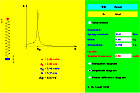
Interactive Java Applet on "Resonance" This interactive resource explores the phenomenon of resonance by permitting users to manipulate the variables involved and observe the outcome. Both resources are presented to the students in the context of relevant lecture notes/assignments. |
|
|
Audio-Enriched Lecture
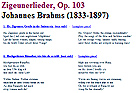
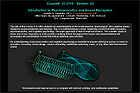
Materials Portion of lecture notes for a vocal music performance and German-diction course module. |
|
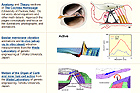
Multimedia-Rich Lecture Notes Lecture notes on the anatomy and function of the hearing mechanism. |
|
Example of a Web-Based Lecture-Notes Structure |








Quality Matters Standards
Standard 4: Resources
(.pdf)
"Instructional materials are sufficiently comprehensive to achieve stated course
objectives and learning outcomes and are prepared by qualified persons competent
in their fields."
Standard
5: Learner Engagement
(.pdf)
"Meaningful interaction between the instructor and students, among
students, and between students and course materials is employed to motivate
students and foster intellectual commitment and personal development."
Standard 6: Course Technology (.pdf)
"Course navigation and the technology employed in the course foster student
engagement and ensure access to instructional materials and resources."